 |
| |
    |
| |
|
|
| |
ViArchive plugin for FotoWeb* |
|
| |
The ViArchive plugin for FotoWeb enhances the support for video in FotoWeb. Videos of different kinds of format can be uploaded and streamed in FotoWeb, without the need of additional browser plugins.
Indexing, archiving, searching and cutting videos can be seamlessly integrated into the FotoWare product line. |
 |
| STREAM, EDIT METADATA & DOWNLOAD |
Streaming... The plugin version of ViArchive supports users of FotoWeb by
providing the possibility to stream video without downloading whole clips. ViArchive Server allows multiple streams of each video made available to the users - this gives the users the possibility to choose a stream and quality to suit their bandwidth.
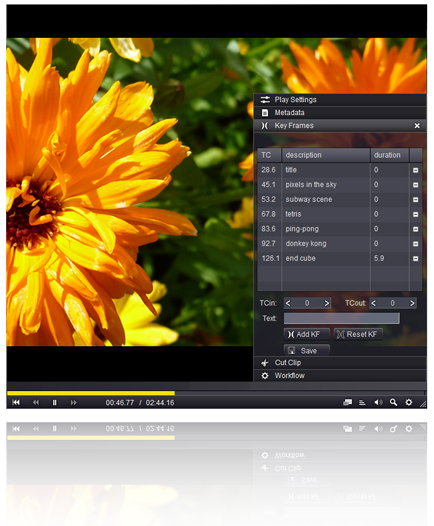
Metadata & Keyframes... The plugin allows for navigation on the timeline by manually browsing the timeline at different speeds or by keyframes; archived keywords along the timeline. Logged in users can edit metadata and add new key frames / durations to archived clips.
Download... Logged in users have the benefit of a quick download function. This allows users to download original clips directly from search hits with only one click! |
| ZOOM & PLAY SETTINGS |
The ViArchive Plugin for FotoWeb has a zoom function which facilitates studying the content of video clips more closely. When viewing a video clip the user may also adjust play settings (brightness, contrast & saturation).
|
| |
More functionality for cut / edit users |
|
| |
CUT OUT & DOWNLOAD SEGMENTS
|
 |
| |
For users who demand more functionality, the plugin can be enhanced with the ViArchive web client. It enhances the ViArchive plugin with additional features, provided within the same user interface.
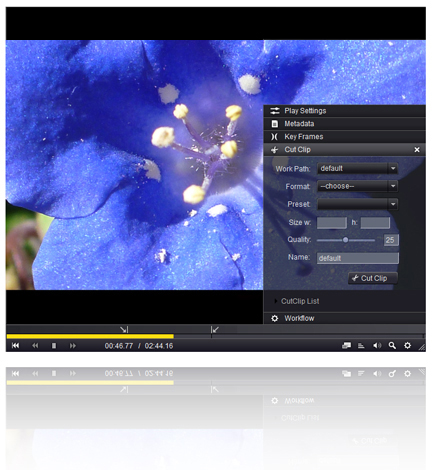
Users with full access have the possibility to cut and transcode clips, as well as download the cut and transcoded segments. They also get access to workflow options; to copy or move files to selected paths, or delete clips from the system. |
| |
TRANSCODING FOR ANY CHANNEL |
| |
The clips can be transcoded and downloaded in a number of formats, including mpg, mp4, avi, mov and jpg. The user can adjust duration, format, size and quality to suit any need; from publishing on web or mobile appliances to HD suitable for broadcasting.
All cutting and transcoding is executed on ViArchive Server from the high resolution original uploaded clips, so no quality is lost. |
| |
|
|
| |
*FotoWeb is a registered trademark of FotoWare. See www.fotoware.com. |
|
| |
|
|
| © PressIT AS, Norway |